# ⚡ Getting Started
*TikHub** provides merchants with the ability to self-register.
> 此页也有中文版本可用: [⚡ 新手指南 - 中文](https://docs.tikhub.io/5448543m0)
:::highlight gray
- All merchants who publish a project are deemed to have agreed to the [Service Provider Agreement](https://tikhub.io/wp-content/uploads/2024/11/6862406b-05a9-4ee3-8db3-90c5fd103438-scaled.jpg) of our platform, please read it carefully.
- Merchants please join our [Discord merchant group](https://discord.gg/AWPdCZjK9v).
- If you are not sure whether your business falls within the permitted scope of our platform, please read the [Business Restriction](https://apifox.com/apidoc/shared-d8572e01-f3bf-47d8-9415-19c783170da4/5408030m0) List in detail.
- Every new merchants can join without any initial fees.
:::
### Currently Supported Project Types
- Digital Product
- More project types (API, coding services) are being developed...
### Platform Fee
TikHub Platform payment fee includes two parts:
- The fee charged by the upstream payment gateway (not the TikHub platform) may vary across different industries and payment channels. By default, this fee is the responsibility of the merchant.
- Merchants have the option to configure these fees to be paid by consumers within payment management settings.
- We appreciate it when merchants provide their own payment gateway accounts.
- Upon merchant withdrawals, a 1% platform fee will be collected.
### Privacy Protection
- We do not retain any user's private information, we use digital currency for withdrawals.
- Supported networks: `TRC20` and `ERC20`. GasFee varies between different networks.
### Quick Cash Out
- The withdrawal method is flexible, and users can apply for withdrawal at any time and the funds will be quickly transferred to their accounts.
- Crypto withdrawals will be charged the gas fee, which is the inherent cost of using blockchain cryptocurrency transfers.
:::tip[]
**IMPORTANT‼️ Please refer to the [Withdraw](https://apifox.com/apidoc/shared-d8572e01-f3bf-47d8-9415-19c783170da4/5407937m0) for more details.**
:::
---
## Merchant Settings/Information
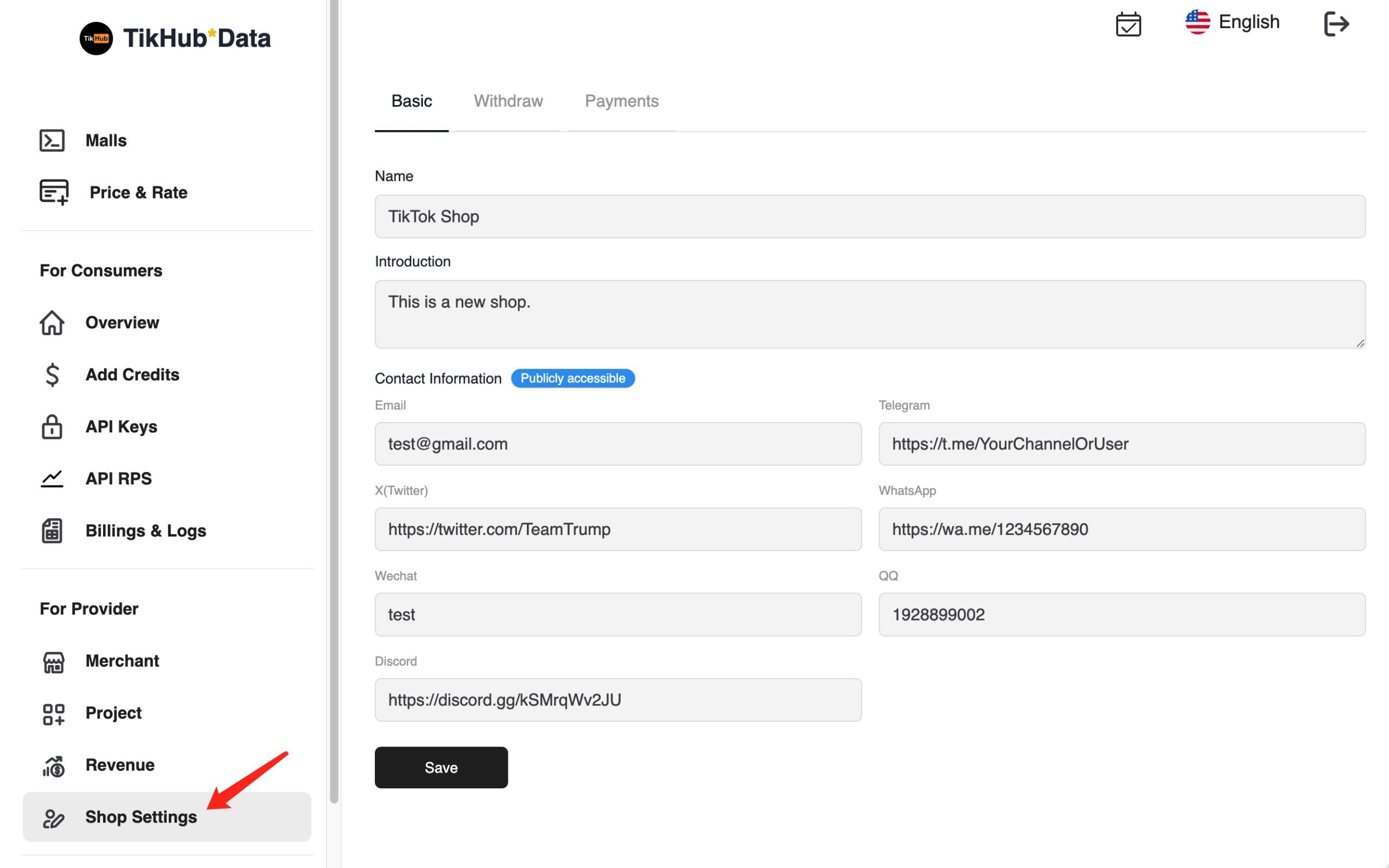
- Enter your Shop Name
- Enter your Shop Description
- Enter your contact information. Providing your email is mandatory; other contact details are optional.
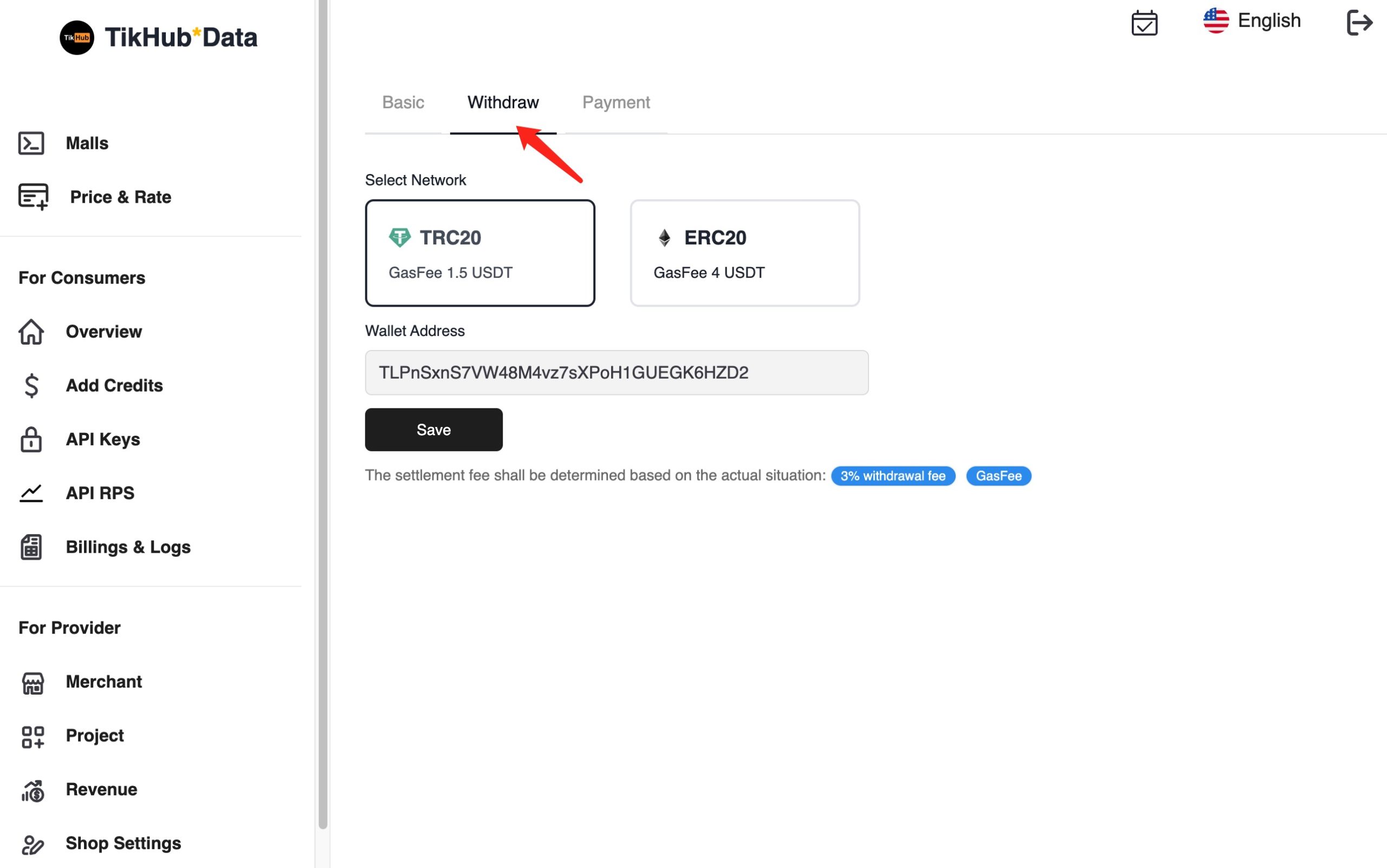
- Select your Network
- Enter your Wallet Address (We are not responsible for withdrawing to the wrong wallet address)
## Publish Project
- Log in to the [beta-web.tikhub.io](https://beta-web.tikhub.io/en-us/users/signin)
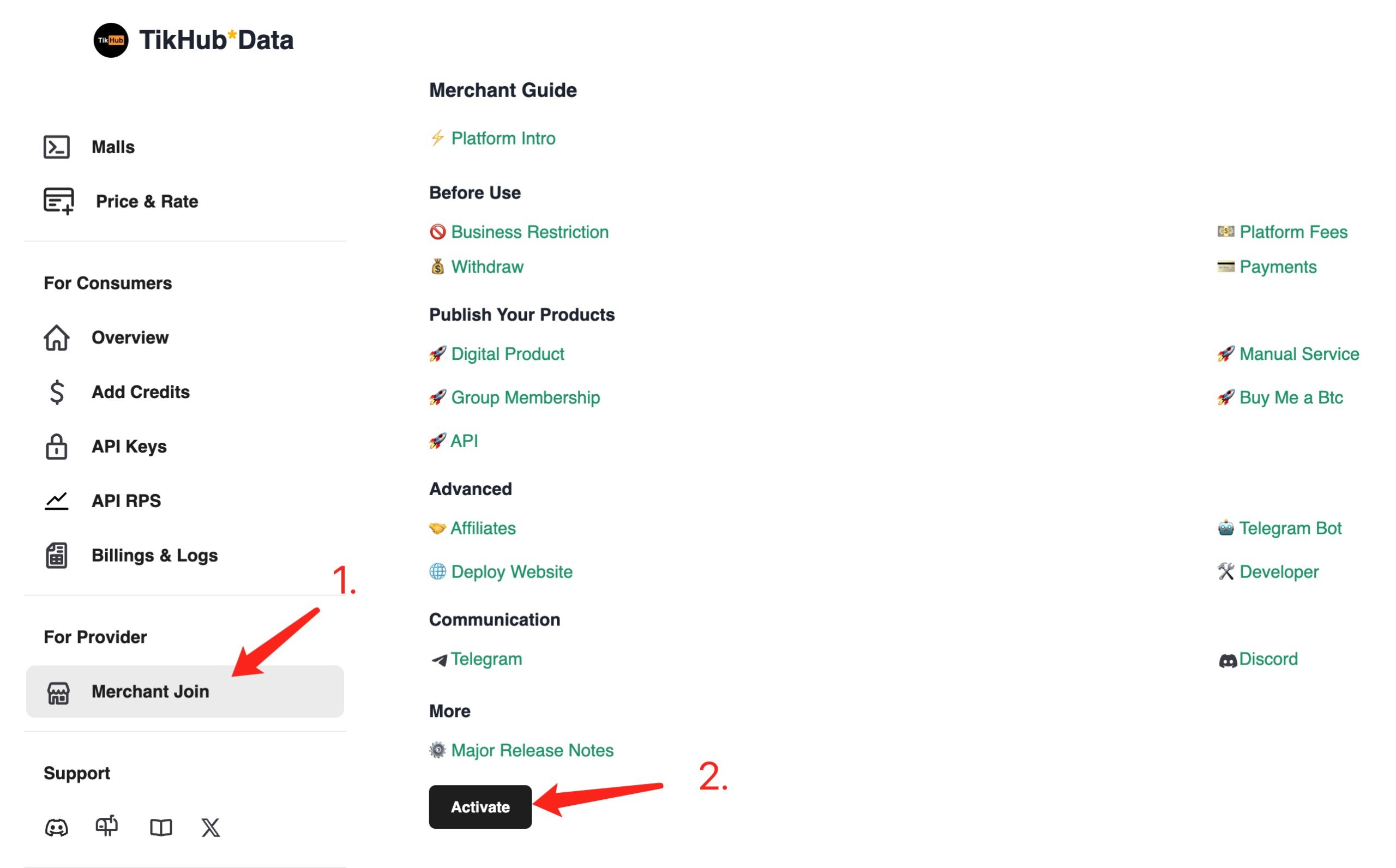
- Enter the Merchant page **Join Merchant**
- Click Activate to build you business with TikHub
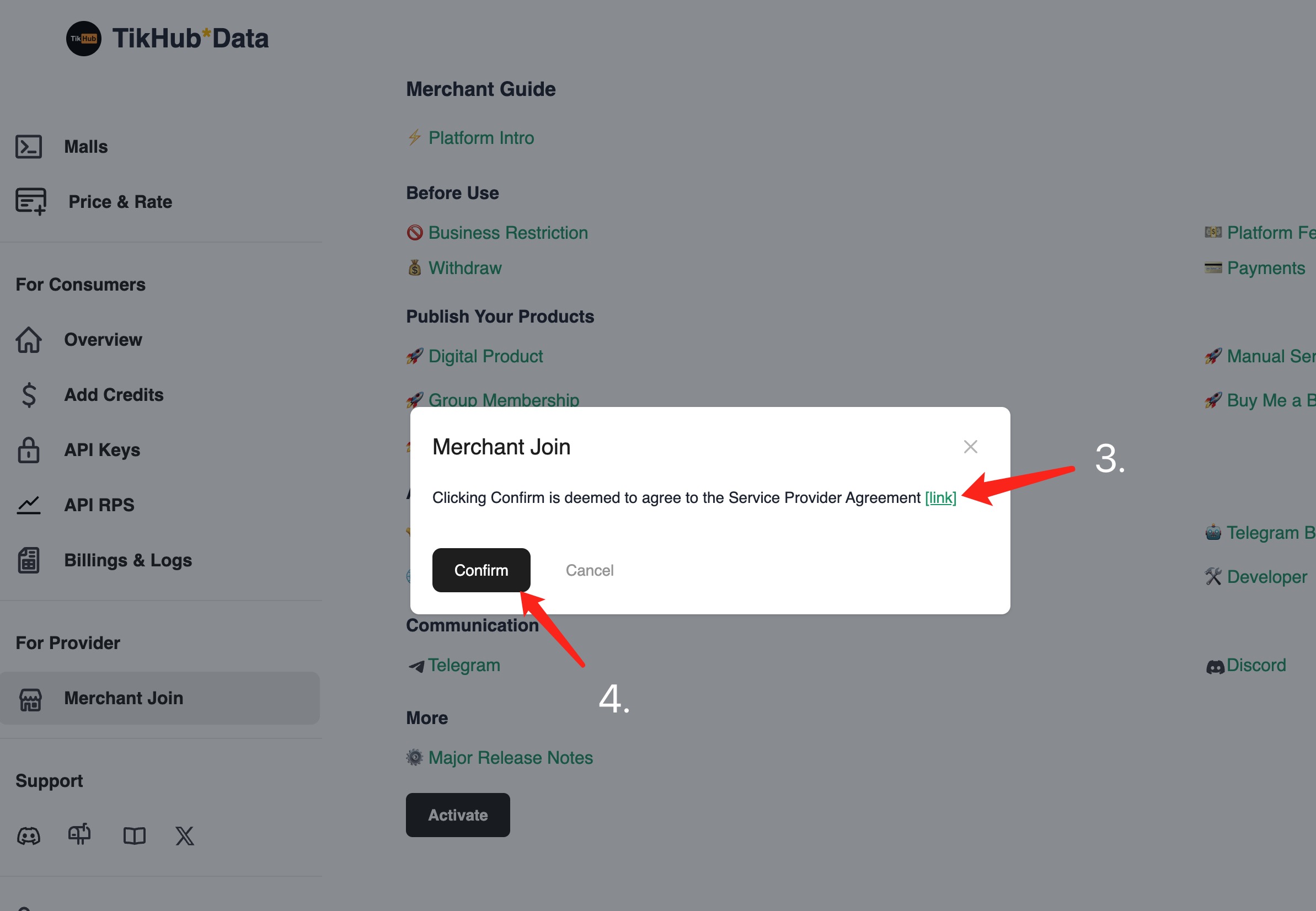
- Read the Service Provider Agreement and confirm
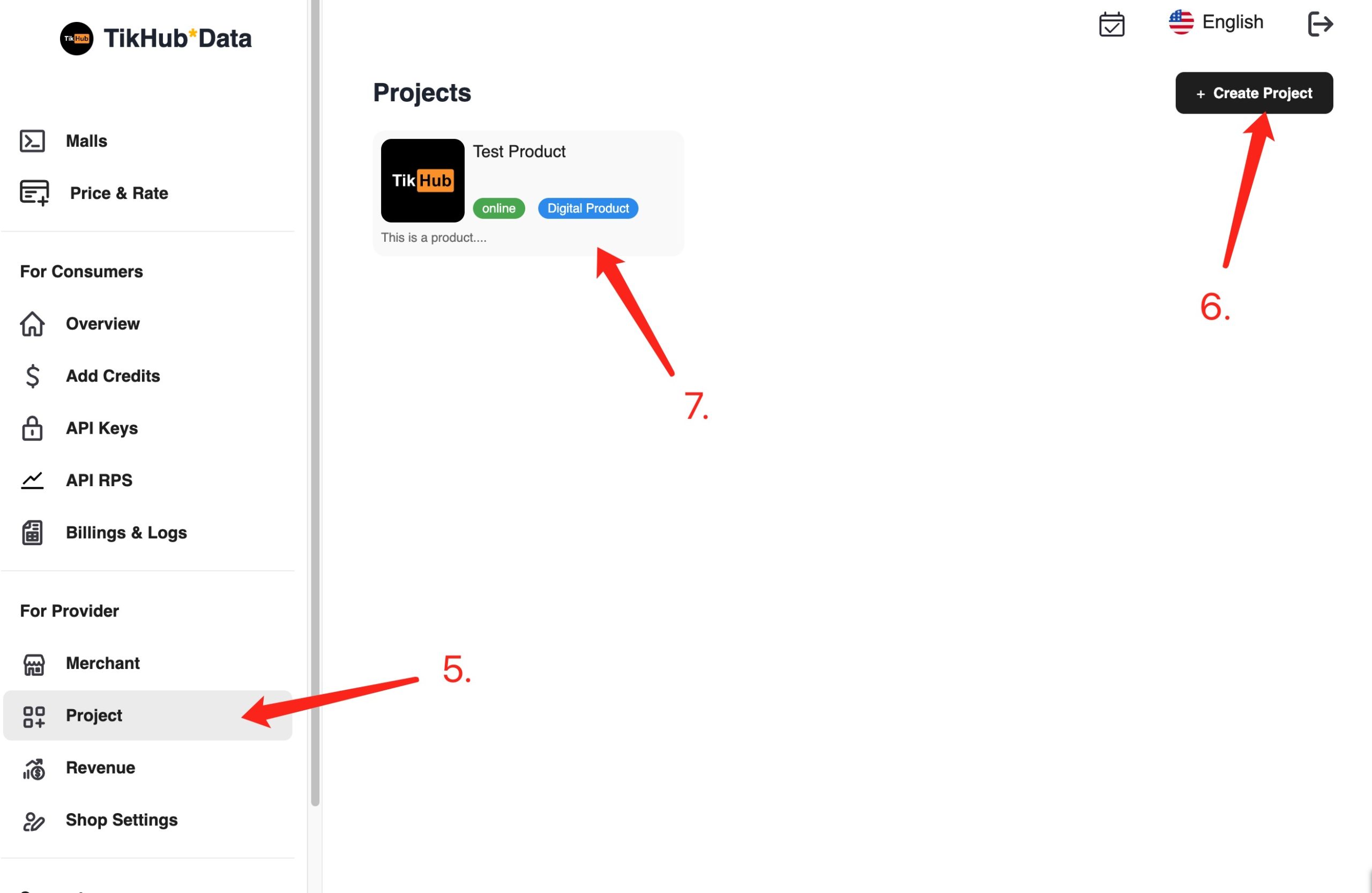
- Click Project and
- Create your first project (only supporting Digital Product Projects)
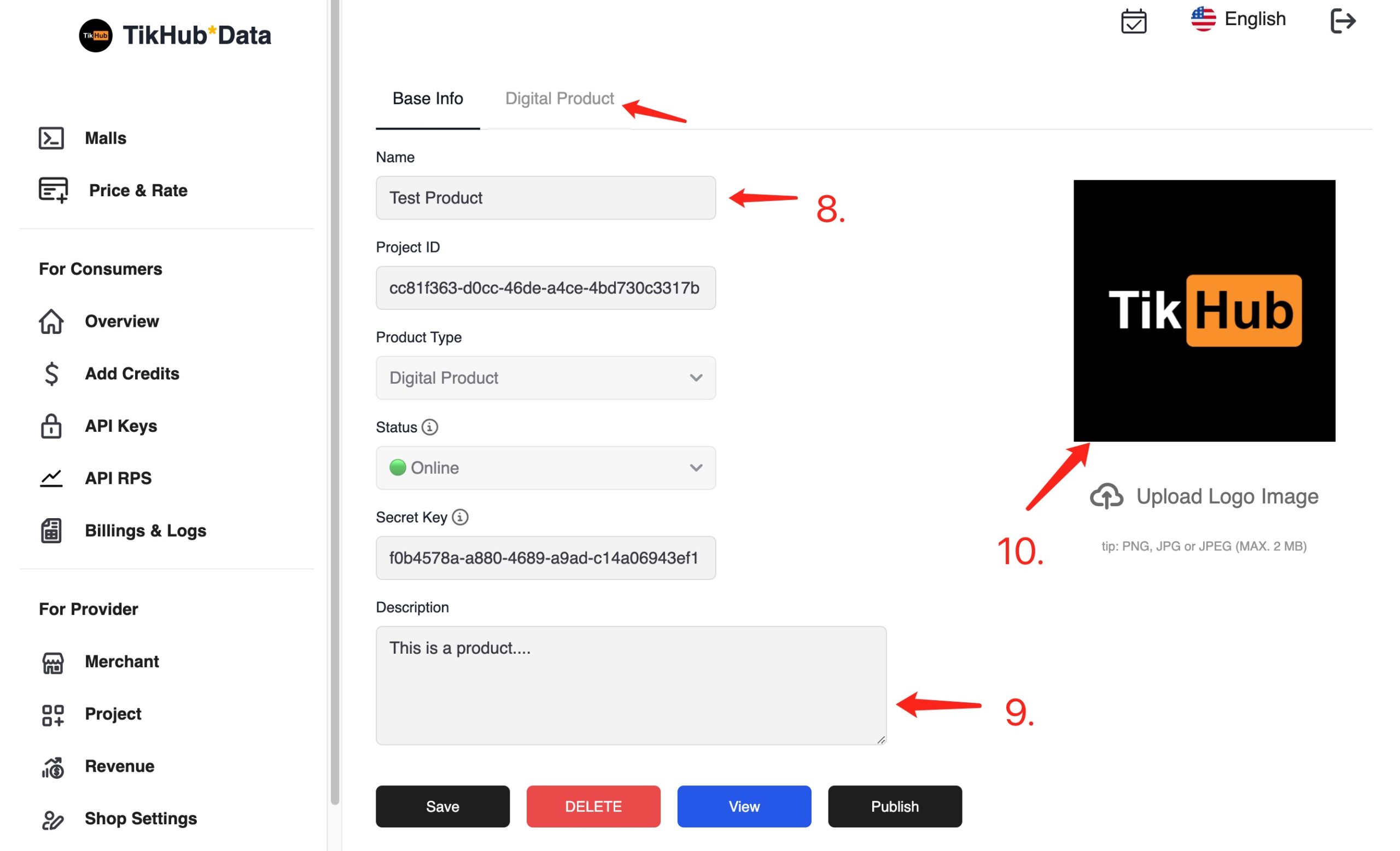
- Configure the project (including basic project info, products, pricing etc.)
- Click to publish (you must have at least one product before publish)
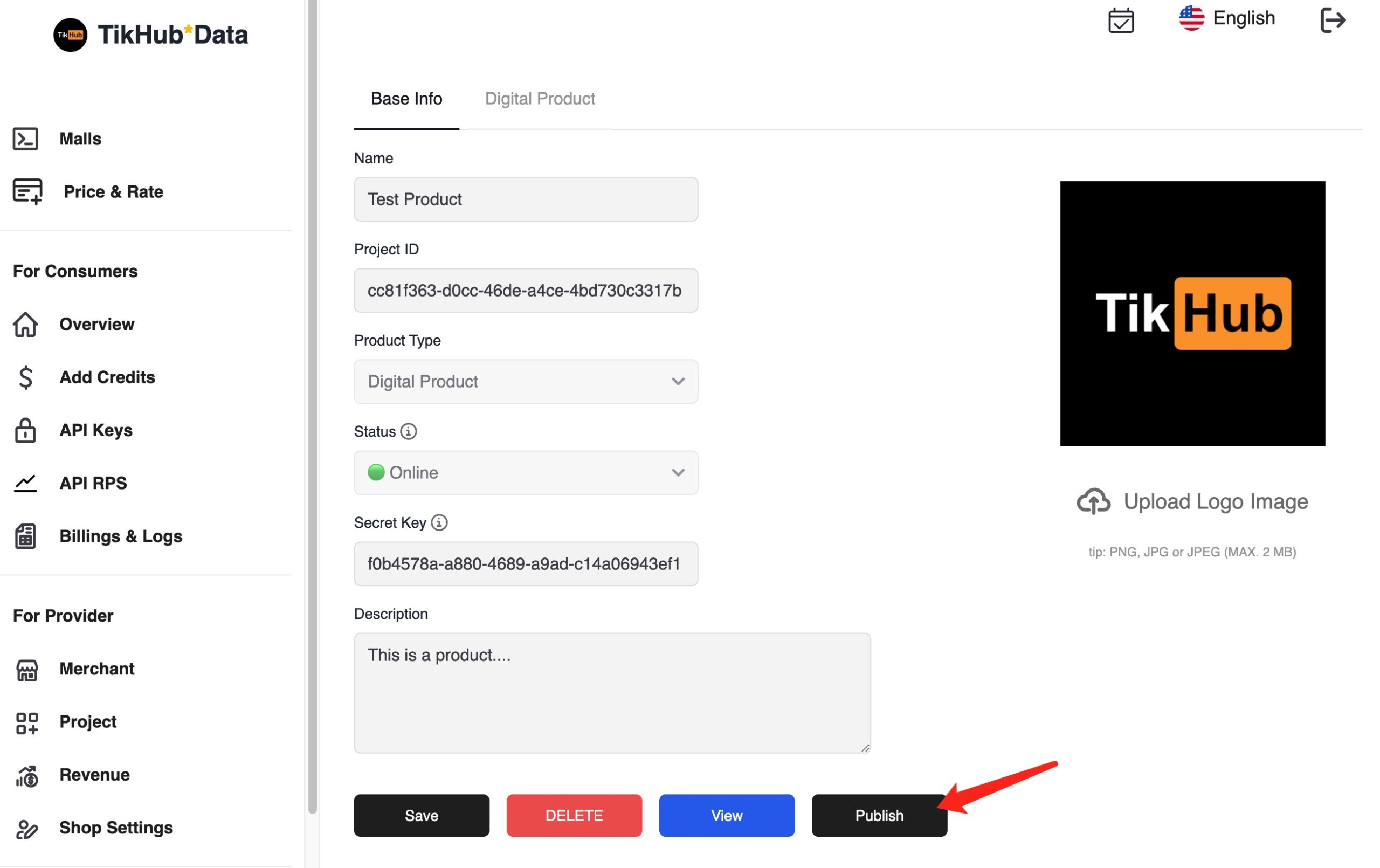
- Please allow 1-3 business days for us to review your projects and upload your project to the TikHub Mall section
:::highlight yellow 📌
**Precautions**
- Merchants can create up to `20` projects
- The maximum number of products for every project is `20`
- The maximum inventory/stock of one product is `3000`.
- For online projects with problems, they will not be displayed in the mall (for example, there are no available products, no pricing plan, and virtual products do not have trial products below 1 USD), but they can still be accessed through shared links.
- The contact information set in the merchant settings is visible to users so that they can communicate in a timely manner if there have any questions.
- Withdrawal history will be display fully. There can be `at most one` withdrawal operation at the same time.
:::
## Principle
In principle, we will retain flexibility as much as possible, but in some scenarios being too flexible is not a good choice. Any modifications to the projects will directly affect the users currently using them, but we still leave this decision-making power to the merchants to decide, as merchants have the right to decide on their own projects.